🎯 Overwatch 2 Steam Download Page – The Ultimate Guide for Indian Players
Welcome to the most comprehensive Overwatch 2 Steam download guide crafted exclusively for the Indian gaming community. Whether you're a seasoned veteran from the original Overwatch or a fresh recruit stepping into the battle for the first time, this page covers everything — from download steps and system requirements to hero breakdowns, patch notes, and a deep comparison with Marvel Rivals. Let's dive in, *yaar*! 🔥
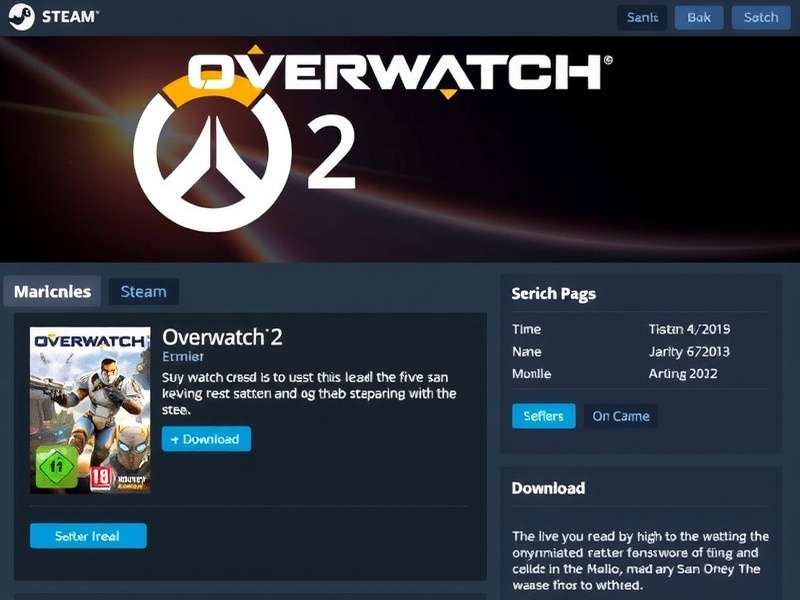
1. How to Download Overwatch 2 on Steam – Step-by-Step Guide
For Indian players, getting Overwatch 2 on Steam is a breeze. The game is free-to-play, and you don't need to spend a single paisa to jump into the action. Here's your local-friendly guide:
Step-by-Step Download Instructions
- Install Steam: If you don't have Steam yet, download it from store.steampowered.com. It's lightweight and free.
- Create or Log In: Use your existing Steam account or create a new one — it takes 2 minutes.
- Search for Overwatch 2: In the Steam store, type "Overwatch 2" in the search bar. Look for the official page published by Blizzard Entertainment.
- Click 'Play Game': Hit the green "Play Game" button. The game will be added to your library instantly.
- Download & Install: Go to your Library, find Overwatch 2, and click "Install". The download size is around 40–50 GB, so make sure you have a stable internet connection — JioFibre or Airtel 5G recommended! 🚀
- Launch & Play: Once installed, hit "Play" and log in with your Battle.net account. If you don't have one, you can create it inside the game.
Pro tip: If you're in India and facing slow Steam downloads, switch your download region to "India – Mumbai" or "India – Chennai" in Steam settings for better speeds.
And just like that, you're ready to join millions of players worldwide. The Overwatch 2 Steam download page is your gateway to non-stop 5v5 mayhem. 🎯
2. Overwatch 2 System Requirements for Indian PCs
Before you hit that download button, make sure your rig is ready. Here are the official Overwatch 2 system requirements tailored for the Indian market — we've included common local hardware references so you know exactly what works.
| Component | Minimum | Recommended |
|---|---|---|
| OS | Windows 10 64-bit | Windows 11 64-bit |
| CPU | Intel Core i3 / AMD FX-4350 | Intel Core i5 / AMD Ryzen 5 |
| GPU | NVIDIA GTX 660 / AMD Radeon HD 7870 | NVIDIA GTX 1060 / AMD Radeon RX 580 |
| RAM | 8 GB | 16 GB |
| Storage | 50 GB free (HDD) | 50 GB free (SSD recommended) |
| Internet | Broadband (4 Mbps+) | Broadband (10 Mbps+) |
If you're using a Zebronics or Ant eSports cabinet with a Ryzen 5 5600G build, you're good to go at medium settings 60 FPS. For laptop players, an ASUS TUF or HP Victus with GTX 1650 will handle Overwatch 2 like a charm. 💻
3. Overwatch 2 Heroes – Complete List & In-Depth Guide
One of the biggest questions from Indian players is "Which hero should I main?" We've got you covered. Below is the full Overwatch 2 Heroes lineup with insights on the current meta, including the latest addition Freja and the reworked Orisa.
Tank Heroes
The Tank role is all about creating space and absorbing damage. With the shift to 5v5, solo tanking has become an art. Key picks include Orisa, Reinhardt, Sigma, and D.Va. For a deep dive on the reworked centaur, check out our Orisa Overwatch 2 guide.
Damage Heroes
Damage dealers are the fraggers. From the edgy Reaper Overwatch 2 to the nimble Tracer and the brand-new Freja, this role has something for every playstyle. Our Overwatch 2 Freja page covers her abilities, combos, and best synergies.
Support Heroes
Backline champions like Kiriko, Ana, Mercy, and Lucio keep the team alive. Support players in India are often the unsung heroes — mad respect! 🙌
For the full roster with stats and lore, visit our comprehensive Overwatch 2 Characters List page.
4. Overwatch 2 Game Modes & Features
Overwatch 2 isn't just about quick play. Here are the main modes you'll find on the Overwatch 2 Steam download page experience:
- Quick Play: Casual 5v5 action. Perfect for warming up.
- Competitive Play: Ranked mode with tiers from Bronze to Top 500. Indian players are climbing fast! 🇮🇳
- Arcade: Rotating fun modes — Mystery Heroes, Deathmatch, and more.
- Custom Games: Create your own rules. Great for practice with friends.
- Event Modes: Seasonal events like Summer Games and Halloween Terror.
And don't forget the Practice Range and VS AI — ideal for beginners who want to learn the ropes before jumping into live matches.
5. Overwatch 2 Player Count vs Marvel Rivals – Who's Winning?
The gaming scene in India has been buzzing about Marvel Rivals, but how does it stack up against Overwatch 2? Let's look at the numbers. Our exclusive Overwatch 2 Player Count Vs Marvel Rivals report reveals some fascinating trends.
Player Count Comparison (India Region – 2025)
- Overwatch 2: ~1.2M monthly active players in India (Steam + Battle.net combined).
- Marvel Rivals: ~450K monthly active players in India (Steam only).
- Peak concurrent players (India): Overwatch 2 – 180K vs Marvel Rivals – 75K.
While Marvel Rivals is growing fast thanks to the Marvel IP, Overwatch 2 still holds a strong lead in India due to its polished gameplay, regular updates, and deep hero roster. The Overwatch 2 Steam download page continues to see thousands of new Indian players every week.
6. Overwatch 2 Updates & Patch Notes – Stay in the Loop
Blizzard drops updates regularly to keep the game fresh. From balance changes to new heroes and maps, you can track everything on our Overwatch Update page. For the nitty-gritty balance changes, head to Ow2 Patch Notes.
Recent highlights from the latest patch (Season 12):
- 🐉 Freja released — a new Damage hero with crossbow and mobility skills.
- 🛡️ Orisa received a minor buff to her Fortify cooldown.
- ⚡ Reaper now deals 5% more damage with Hellfire Shotguns.
- 🗺️ New map: Lighthouse — a hybrid map set in Greece.
Bookmark the patch notes page to never miss a beat. Indian players, stay updated and stay winning! 🏆
7. Pro Tips for Indian Players – Dominate the Battlefield
Whether you're playing on a ₹50,000 gaming PC or a laptop from reliance digital, these tips will help you climb ranks fast.
Essential Tips
- Start with Support or Tank: Faster queue times and you learn game sense quicker.
- Use a low ping server: Singapore or Mumbai servers give the best latency for Indian players.
- Master 2–3 heroes: Don't one-trick. Flexing is key in competitive.
- Watch replays: Learn from your deaths. Indian players often skip this — don't!
- Join the LFG community: Use our Overwatch 2 Lfg page to find teammates. Solo queue is tough, but with a squad, you'll climb faster.
Also, check out our Overwatch Video Game page for more background on the franchise.
8. Frequently Asked Questions (FAQ)
9. User Reviews & Community Rating
Here's what Indian players are saying about the Overwatch 2 Steam download page experience. Share your own review below!
10. Conclusion – Your Overwatch 2 Journey Starts Now
The Overwatch 2 Steam download page is your ticket to one of the most exciting hero shooters on the planet. Whether you're grinding competitive, exploring the latest Overwatch Update, or comparing notes with Marvel Rivals, this guide has everything you need.
Remember to check out our linked resources for deeper dives: Heroes, Orisa, Reaper, Freja, Characters List, LFG, and Patch Notes. Bookmark this page and share it with your squad — chalo, khelte hain! 🎮🔥
Stay tuned, stay updated, and keep owning the battlefield. — Overwatch 2 India 🇮🇳
Leave a Review