Download Overwatch 2 in India: The Ultimate Gamer's Guide for 2024 🚀
Welcome, Indian heroes! Overwatch 2 has taken the gaming world by storm, and if you're looking to join the fight for the future, you've come to the right place. This comprehensive guide will walk you through everything you need to know about downloading, installing, and optimizing Overwatch 2 specifically for players in India.
🔥 Hot Tip: Overwatch 2 is completely free-to-play! No need to purchase the base game. Just download and jump into the action.
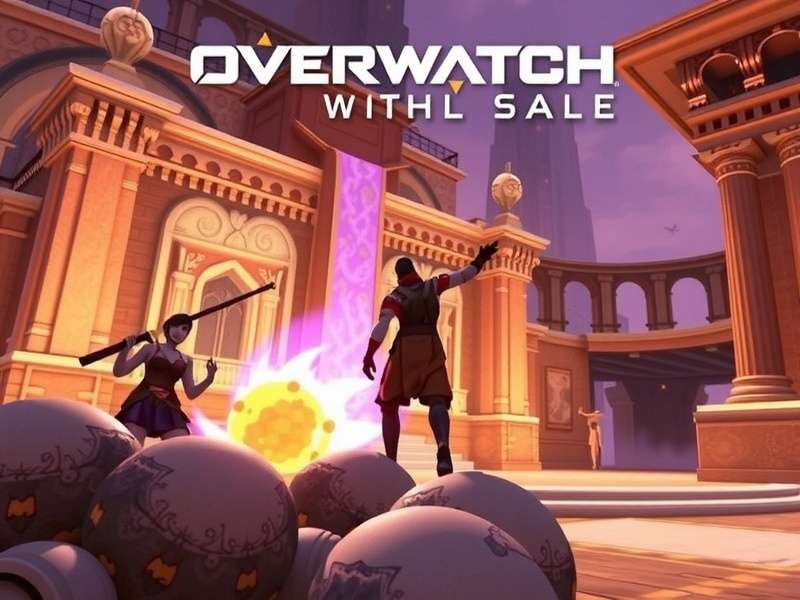
Experience thrilling 5v5 battles in Overwatch 2 with updated visuals and new heroes.
Step-by-Step Guide to Download Overwatch 2
🎮 For PC (Windows) Players
PC remains the most popular platform for Overwatch 2 in India, and here's exactly how to get started:
- Visit the Official Battle.net Website: Head to the Blizzard Battle.net website and create an account if you don't have one.
- Download Battle.net Desktop App: This is mandatory as Overwatch 2 is exclusively available through Battle.net in our region.
- Log In and Navigate: Once installed, log into the Battle.net app and find Overwatch 2 in the games list.
- Click Install: The download size is approximately 50GB, so ensure you have stable internet and enough disk space.
- Launch and Play: After installation, click 'Play' and you'll be prompted to complete your account setup.
Ready to Join the Battle?
Download Overwatch 2 now and team up with millions of players worldwide. The future needs heroes!
Download Overwatch 2 Now🎮 For PlayStation (PS4/PS5) Players
Console gaming is huge in India, and here's how PlayStation gamers can get in on the action:
Simply go to the PlayStation Store, search for "Overwatch 2", and click download. It's completely free and automatically gives you the optimized version for your console (PS5 players get enhanced features).
🎮 For Xbox Series X|S and Xbox One
Similar to PlayStation, head to the Microsoft Store on your Xbox, search for Overwatch 2, and download. Cross-play is enabled by default, so you can team up with friends on other platforms!
System Requirements for Indian Gamers
💻 Minimum PC Requirements (30 FPS on Low Settings)
- OS: Windows® 10 64-bit (latest updates)
- Processor: Intel® Core™ i3 or AMD Phenom™ X3 8650
- Video: NVIDIA® GeForce® GTX 600 series or AMD Radeon™ HD 7000 series
- Memory: 6 GB RAM
- Storage: 50 GB available hard drive space
🚀 Recommended PC Requirements (60 FPS on Medium Settings)
- OS: Windows® 10/11 64-bit (latest updates)
- Processor: Intel® Core™ i7 or AMD Ryzen™ 5
- Video: NVIDIA® GeForce® GTX 1060 / GTX 1650 or AMD R9 380 / RX 6400
- Memory: 8 GB RAM
- Storage: 50 GB available SSD space
Pro Tip for Indian Gamers: Consider using an SSD instead of HDD for significantly faster load times, especially important for competitive play.
Optimizing Your Overwatch 2 Experience in India
🌐 Server Selection for Best Ping
Indian players typically get the best connection to the Asia servers. Within the game, go to Settings > Gameplay > Region and select "Asia". This should give you ping between 60-120ms depending on your ISP.
🎮 Essential Settings for Competitive Edge
After analyzing the current Overwatch 2 Patch Notes Today, here are settings that pro players recommend:
- Reduce Buffering: ON (Video Settings)
- High Precision Mouse Input: ON
- Network Buffering: Low or Medium
- Display Performance Stats: ON to monitor FPS and ping
Understanding Overwatch 2's Hero Roster
With the latest Overwatch 2 New Hero additions, the roster has never been more diverse. Whether you prefer Tank, Damage, or Support roles, there's a hero for every playstyle. Check out our comprehensive Overwatch 2 Characters Guide for detailed strategies.
For those who appreciate authenticity, don't miss our feature on Overwatch 2 Characters Speaking Their Native Language – it adds incredible depth to the gaming experience!
🏆 Tank Heroes Breakdown
The Tank role has evolved significantly in Overwatch 2. Our dedicated guide on Overwatch 2 Characters Tank explores how to effectively create space and protect your team with heroes like Reinhardt, Sigma, and the newest additions.
📊 Did You Know? According to recent Overwatch 2 Steam Stats, the game maintains over 500,000 concurrent players daily, with Indian players being one of the fastest-growing segments!
Seasonal Content and Updates
Overwatch 2 operates on a seasonal model, with Overwatch 2 Season 19 bringing new battle passes, cosmetics, and balance changes. Regular updates mean there's always fresh content to explore.
Curious about the latest cosmetic additions? Our coverage of Overwatch 2 Patch Notes Skins keeps you updated on all the new visual customization options.
Joining the Indian Overwatch 2 Community
India has a thriving Overwatch 2 community with dedicated Discord servers, Facebook groups, and local tournaments. Connect with fellow Indian players to team up, share strategies, and participate in community events.
According to our projections for the Overwatch 2 Player Count 2025, India is expected to be among the top 5 countries by player base growth.
Pro Tips for New Indian Players
🎯 Starting Your Journey Right
- Complete the Training: Don't skip the tutorial – it teaches fundamental mechanics.
- Try Every Hero: Spend time in the Practice Range with different heroes from the full Overwatch 2 Roster.
- Play Against AI: Start with AI matches before jumping into Quick Play.
- Find Your Main: After experimenting, focus on 2-3 heroes you enjoy and practice them.
- Communicate: Use voice chat or text to coordinate with your team.
💸 Managing In-Game Purchases
While Overwatch 2 is free, it features optional purchases. The battle pass offers the best value, providing cosmetics, credits, and sometimes new heroes. Consider local payment options available for Indian players.
Share Your Experience
Have you downloaded Overwatch 2 in India? Share your experience, tips, or ask questions below!